
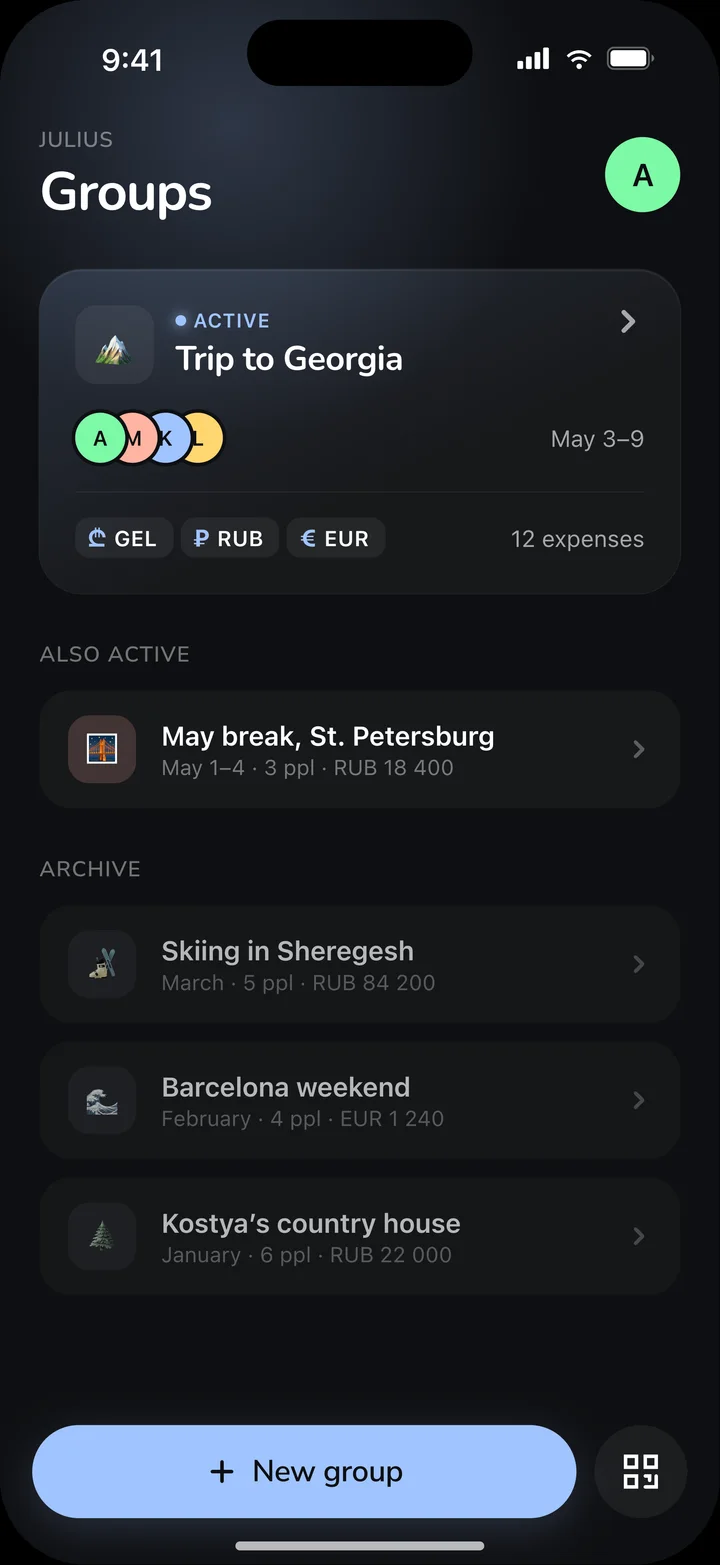
Every crew gets its own group
Trips, parties, a weekend away — start a shared tab and track spending together.
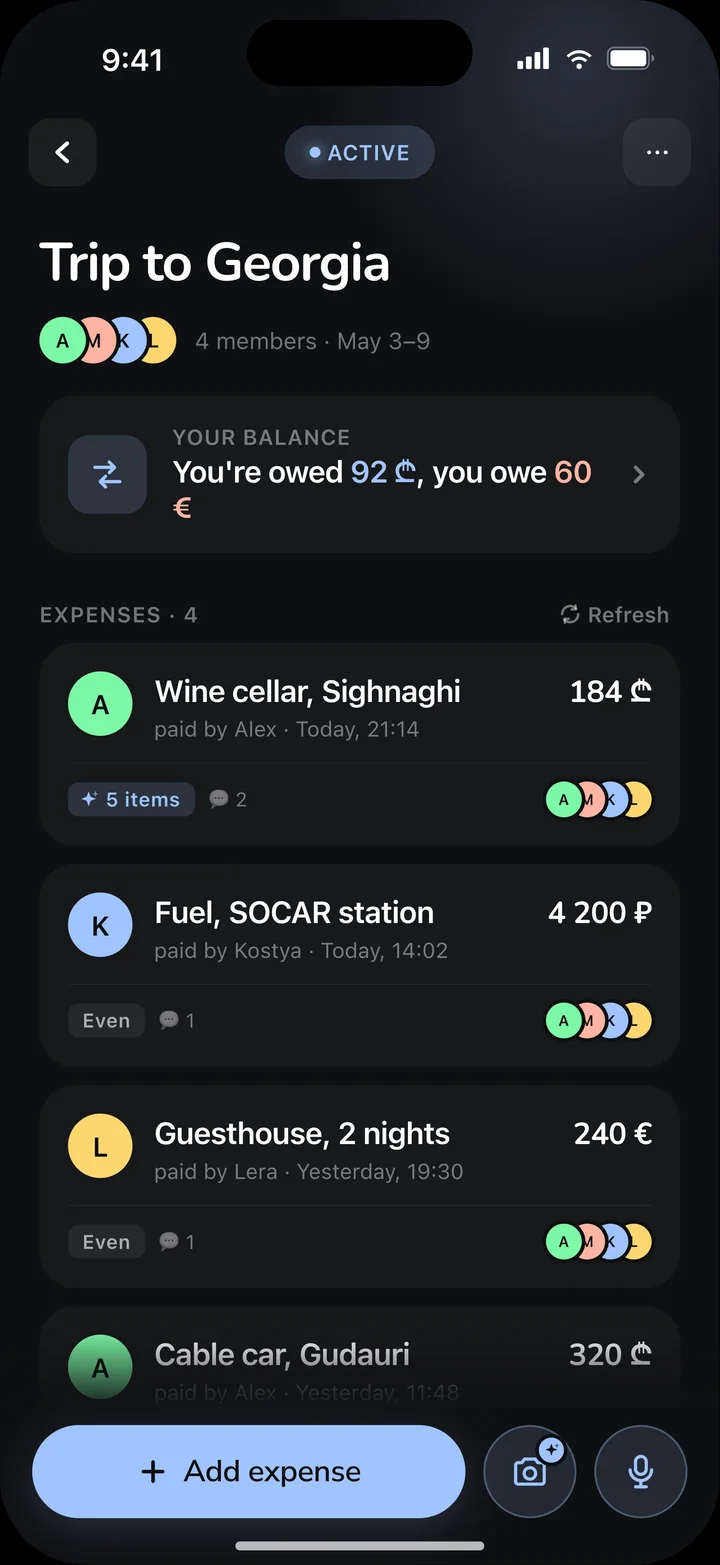
Every expense — one live feed
Who paid, for what, how much — clear at a glance. Nothing slips through.
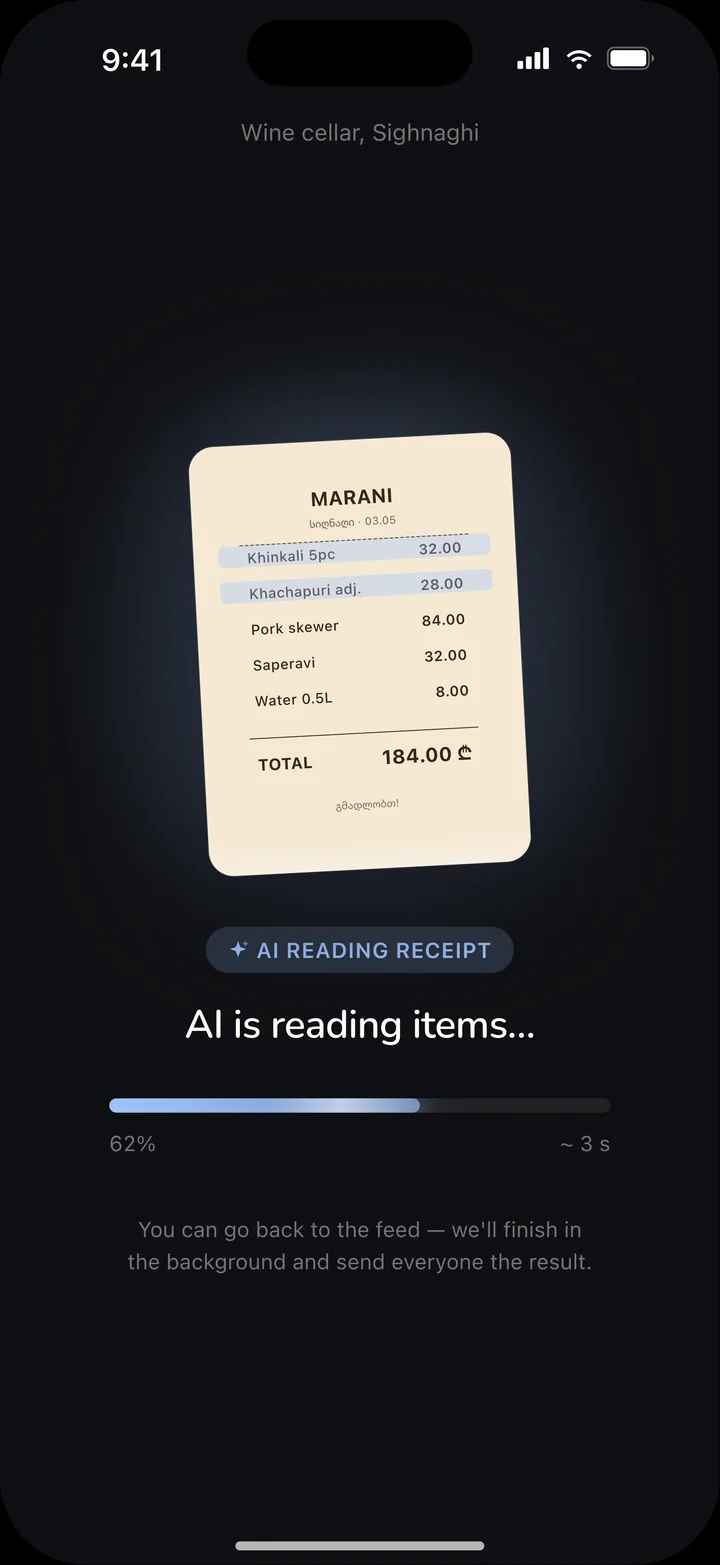
Snap the receipt — AI does the rest
We read every line item in seconds. No manual typing at all.
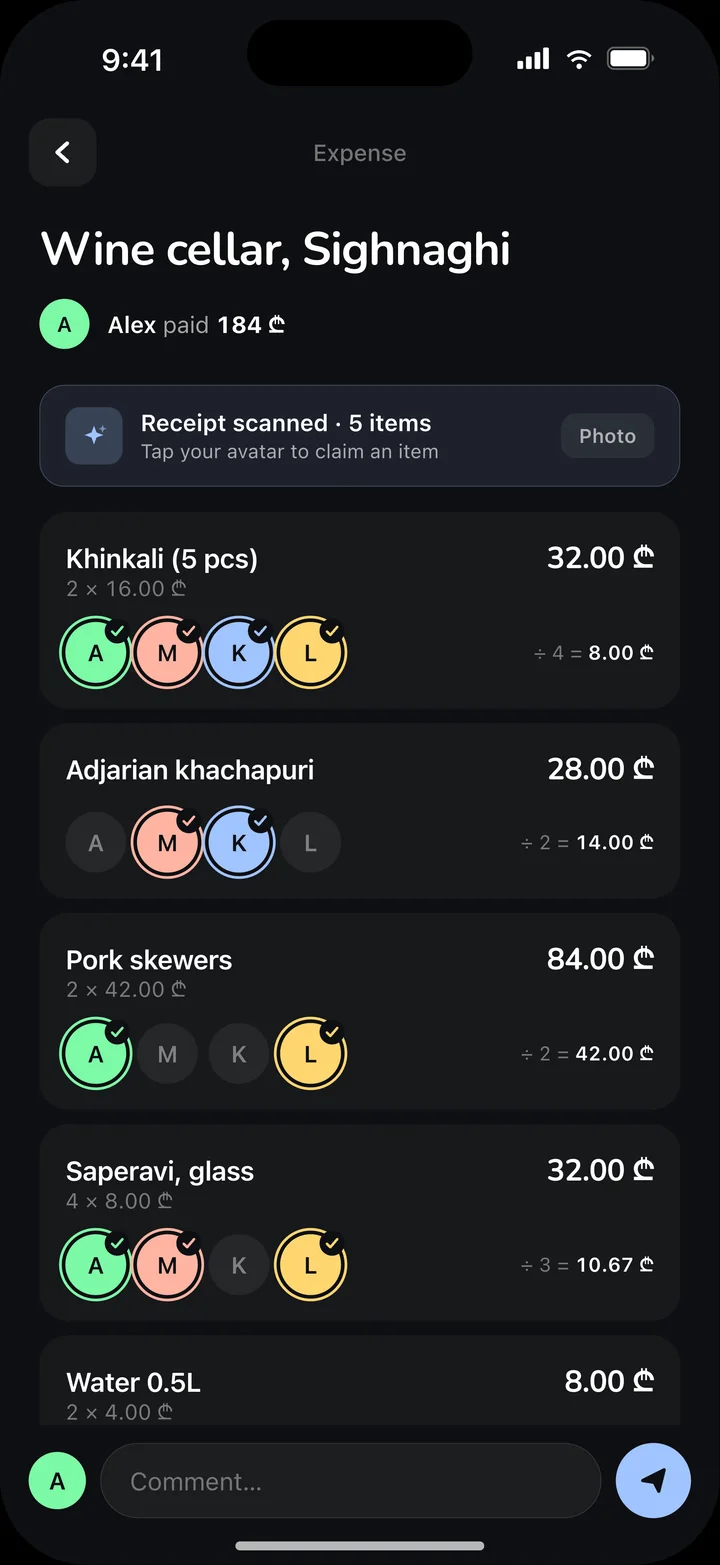
Everyone pays for what they had
Split the bill line by line — tag who had what and the shares add up themselves.
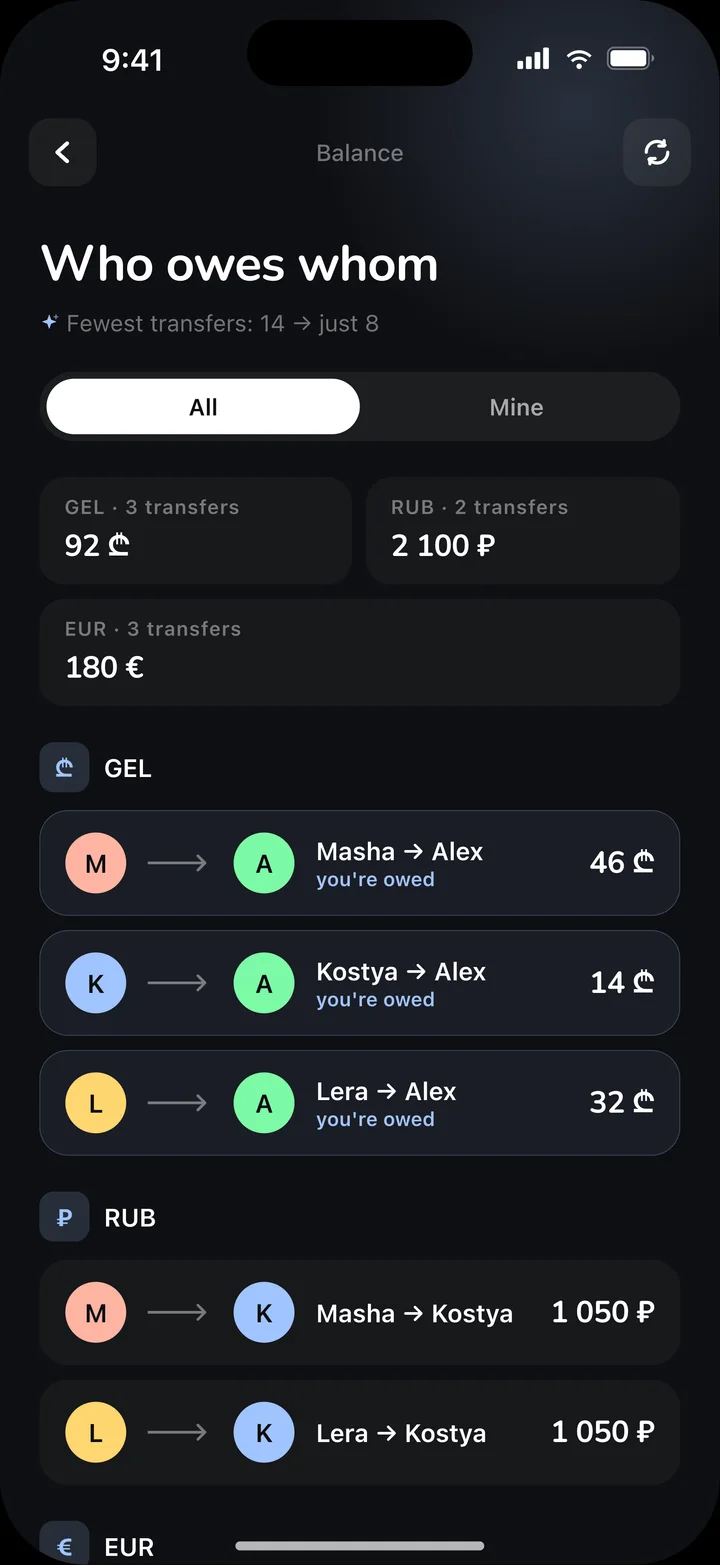
See exactly who owes whom
The fewest transfers instead of a pile of IOUs. Settle up, no arguments.
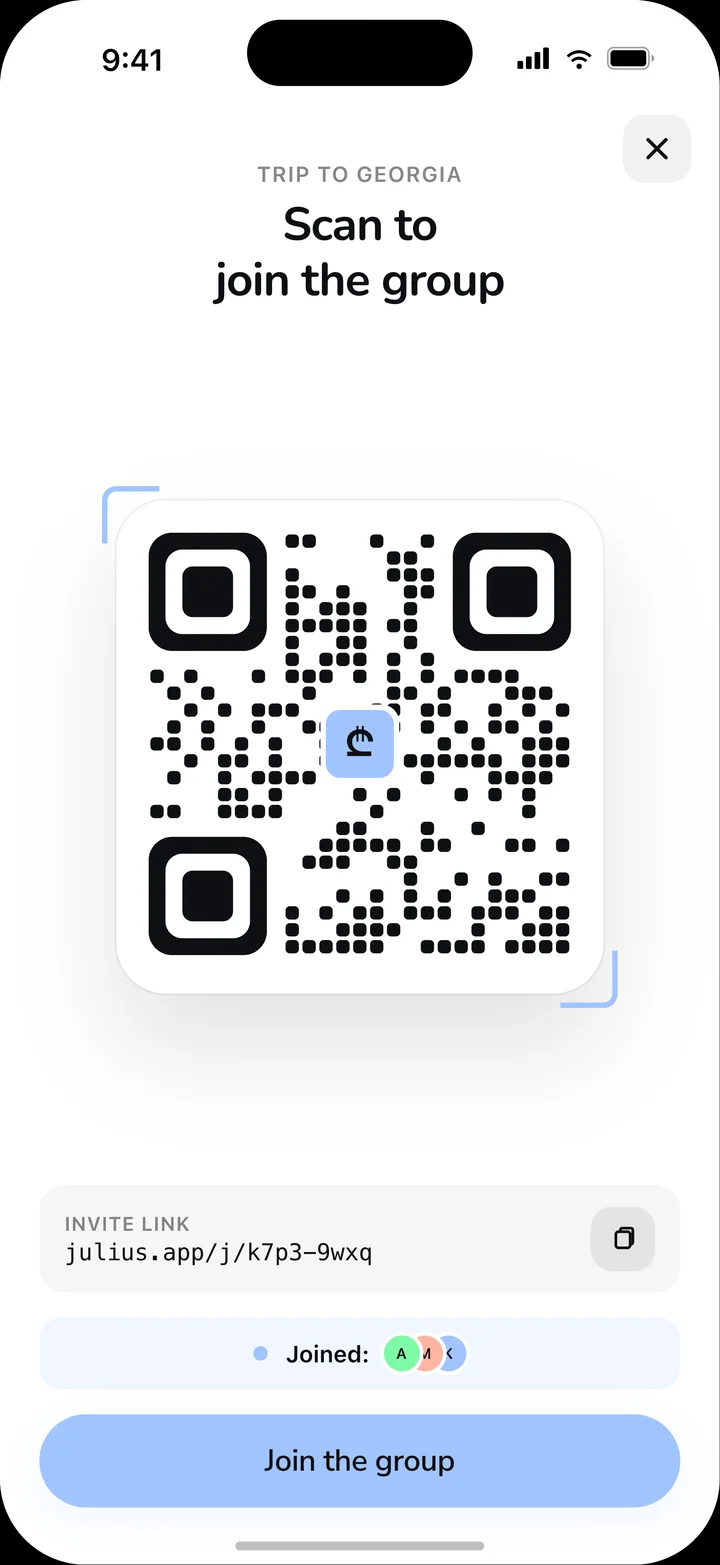
Join a group — in one second
No signup: the host shows a QR, you point your camera — and you are in.
- Julius
Every crew gets its own group
Trips, parties, a weekend away — start a shared tab and track spending together.
Coming soon to App StoreComing soon to Google Play - Expense feed
Every expense — one live feed
Who paid, for what, how much — clear at a glance. Nothing slips through.
- Receipt scan
Snap the receipt — AI does the rest
We read every line item in seconds. No manual typing at all.
- Split by item
Everyone pays for what they had
Split the bill line by line — tag who had what and the shares add up themselves.
- Balance
See exactly who owes whom
The fewest transfers instead of a pile of IOUs. Settle up, no arguments.
- Join by QR
Join a group — in one second
No signup: the host shows a QR, you point your camera — and you are in.
Why people actually use it
-
Receipt scanning
Take a photo of the paper slip — the app breaks it down by line item and assigns each one to a specific person.
-
Flexible shares
Split evenly, by item, or by percentage — accurate even on complex bills.
-
Clear balances
At any moment you can see who owes whom and how much. No arguments after dinner.
-
No signup
Your name is seen by everyone in the pot — no email, phone or passwords needed. Your device remembers you automatically.
-
Multi-currency
Add expenses in any currency — balances are computed separately per currency.
-
Minimal transfers
The algorithm collapses debts: instead of six transfers, two or three are enough to close the books.
Frequently asked
What is a “pot”?
A temporary shared cash register for a group — a trip, a business outing, a birthday. One leader creates the space, the others scan a QR and add their expenses.
Do I need to register?
No. You enter your name once when joining — and the other participants see it. Email, password, phone — not required. The account is tied to your device.
Are multiple currencies supported?
Yes. You can add expenses in any currency — the balance is computed separately per currency. Perfect for travel and trips abroad.
What about Android?
iOS is the current focus — the iPhone version ships first. An Android app will follow once the iOS release stabilizes.
How much does it cost?
Julius is free for now. If paid features arrive later, we’ll announce them in advance, and the current functionality will not retroactively become paid.
What about my data?
We don’t collect what isn’t needed. No advertising identifiers, no analytics, no data sales. Read the details in the Privacy Policy.
Be on the first wave
Open testing launches very soon — keep an eye on App Store and Google Play for the release.